Wi-Fi 6 for Robotics
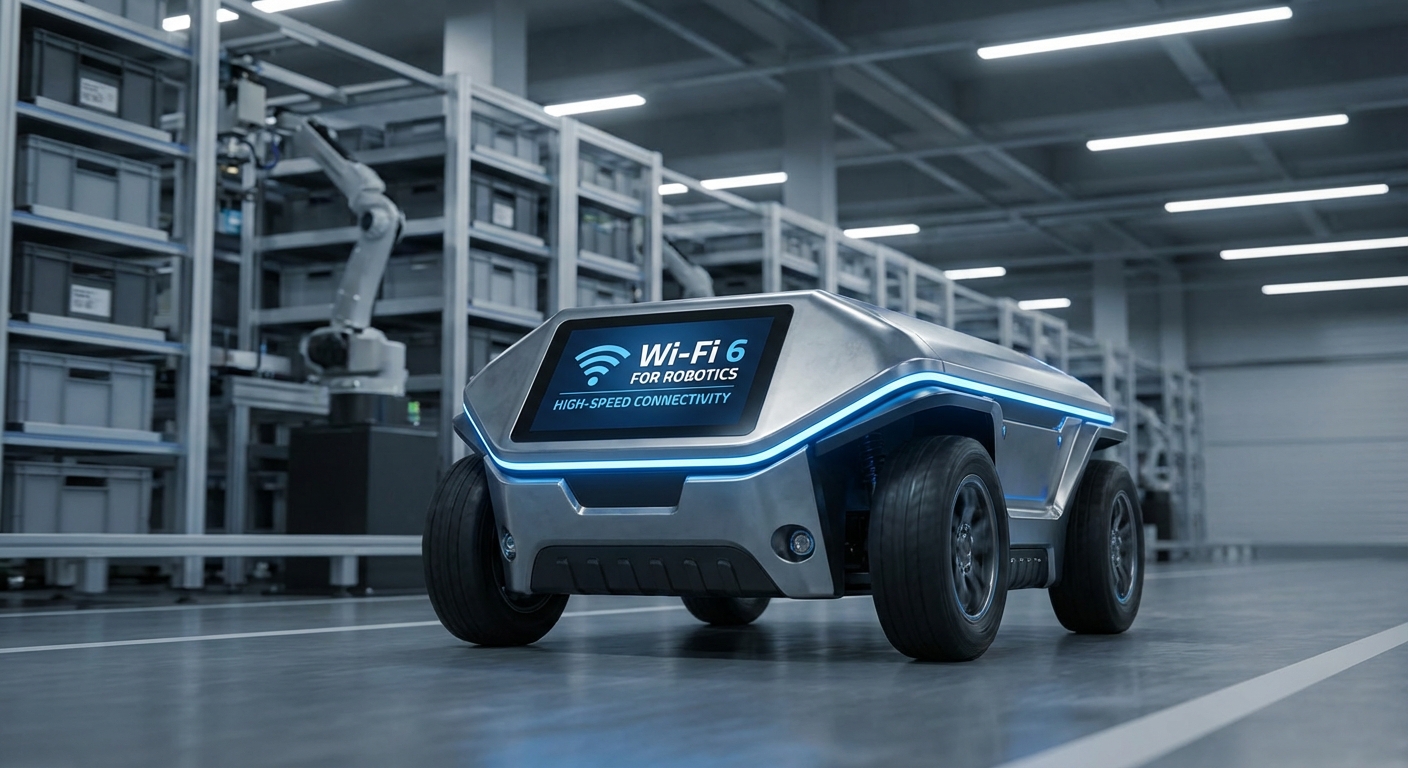
Unlock next-gen autonomous fleet management with 802.11ax tech. Wi-Fi 6 brings the rock-solid low latency, massive device handling, and power smarts modern AGVs and AMRs need to run safe and smooth.
Core Concepts
OFDMA Efficiency
Orthogonal Frequency-Division Multiple Access lets routers chat with tons of robots at once, slashing command delays.
Target Wake Time (TWT)
Robots can doze their radios when idle, stretching AMR battery life between charges.
WPA3 Security
Beefed-up encryption keeps your fleet system locked tight from hackers, safeguarding critical data.
Seamless Roaming
Slicker handover tech keeps AGVs connected on the fly as they zip between access points in huge warehouses.
BSS Coloring
Cuts clutter in busy factories by tagging data packets with colors, so robots tune out nearby networks.
High Throughput
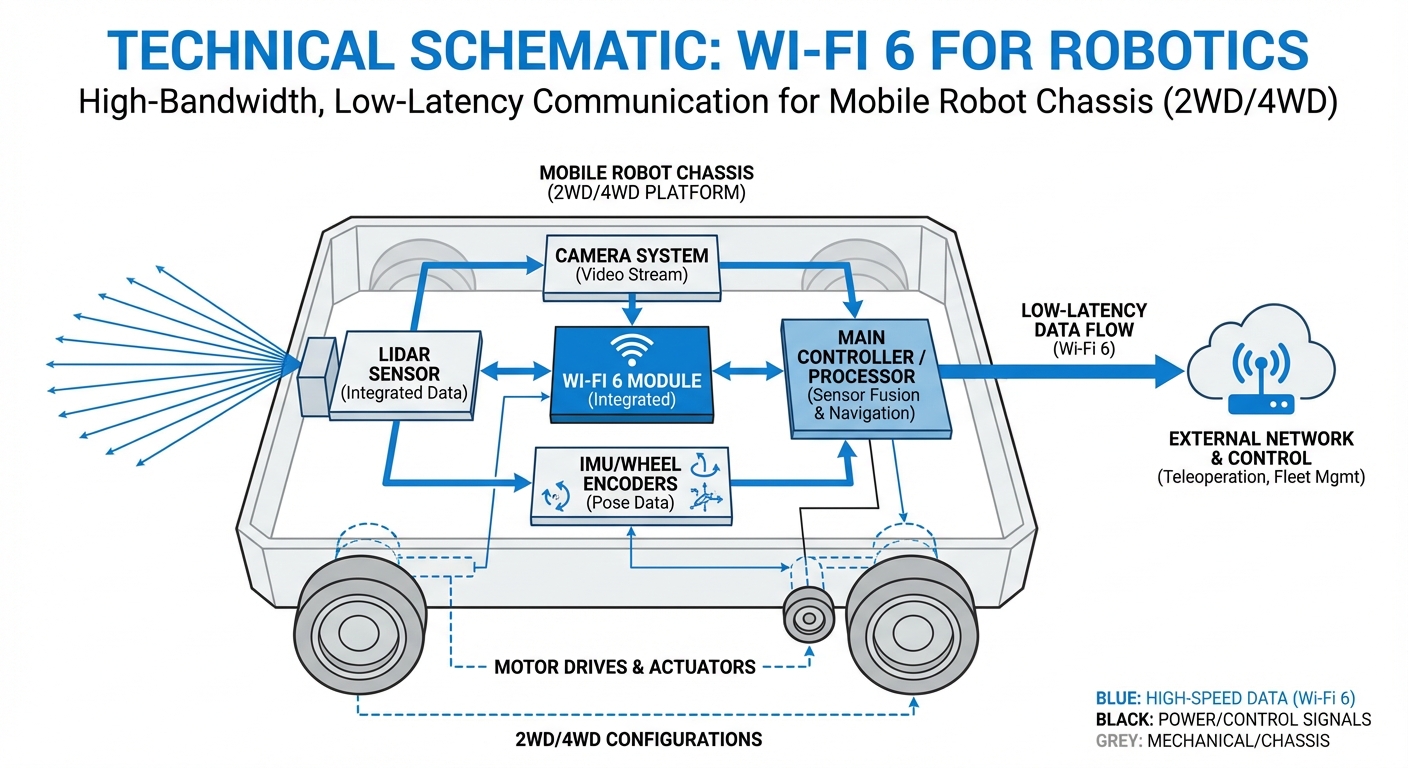
It handles the massive bandwidth demands of real-time video streaming, LiDAR mapping, and SLAM data processing.
How It Works
Wi-Fi 6 tackles the core problem of 'noisy' industrial spaces. Unlike older generations that relied on a 'listen-before-talk' protocol—which led to delays when multiple robots crowded the same aisle—Wi-Fi 6 brings deterministic scheduling to the table.
Thanks to MU-MIMO (Multi-User, Multiple Input, Multiple Output) and OFDMA, the network works like a sharp traffic cop, handing out dedicated sub-channels to different robots all at once. That way, one robot's video feed won't clog up another's critical safety-stop signal.
The payoff? A network that performs almost like a wired setup, delivering the rock-solid reliability needed for Level 4 and Level 5 autonomy, all while keeping the easy flexibility of wireless.
Real-World Applications
High-Density Warehousing
In fulfillment centers buzzing with hundreds of AMRs in tight quarters, Wi-Fi 6 stops network gridlock, so swarm algorithms keep humming without packet drops or collisions.
Automated Manufacturing
Factories packed with metal racks and rumbling machinery throw up tons of signal interference. Wi-Fi 6's beamforming and BSS coloring punch through the chaos for dependable material hauling.
Healthcare Logistics
Hospital service robots demand ironclad data privacy and buttery-smooth roaming across floors. Wi-Fi 6's WPA3 security and speedy handover protocols make it a perfect fit for these high-stakes spots.
Hazardous Environments
For teleoperated robots in nuclear or chemical plants, ultra-low latency isn't optional—it's a safety must. Wi-Fi 6 delivers near-real-time feedback, giving remote operators precise control over those finicky manipulators.
Frequently Asked Questions
What makes Wi-Fi 6 better than Wi-Fi 5 for robots?
Wi-Fi 6 (802.11ax) rolls out OFDMA, slicing channels into smaller sub-channels. This lets the router talk to multiple robots at the same time instead of one after another, cutting latency by up to 75% in packed environments compared to Wi-Fi 5.
Should I choose Wi-Fi 6 or private 5G for my AGV fleet?
It comes down to your setup. Wi-Fi 6 is usually cheaper and simpler to roll out in indoor spots like warehouses. Private 5G shines for outdoor or vast areas with tons of movement, though it often means pricier infrastructure.
How does Wi-Fi 6 improve robot battery life?
That's where Target Wake Time (TWT) comes in. The router sets exact wake-up slots for the robot to swap data, letting the Wi-Fi radio snooze longer and slashing power use compared to non-stop polling.
Can I retrofit my existing robots with Wi-Fi 6?
Yes, most industrial PCs and robot controllers can get a boost with M.2 Wi-Fi 6 modules or Ethernet-connected industrial Wi-Fi 6 bridges. But you'll need both the robot and access points to support Wi-Fi 6 to reap the rewards.
What is the typical range of a Wi-Fi 6 access point in a warehouse?
Range is about the same as Wi-Fi 5 (around 30-50 meters indoors, depending on barriers), but Wi-Fi 6 clings to weak signals better at the edges. Still, 2.4GHz goes farther than 5GHz or 6GHz, so smart band planning is key for big spaces.
Does Wi-Fi 6 solve interference from metal racking?
It helps a ton but can't defy physics. Wi-Fi 6's smarter beamforming focuses signals right at the robot instead of spraying everywhere, and BSS Coloring ignores nearby network chatter. That said, smart AP placement around metal obstacles is still essential.
Is WPA3 mandatory for Wi-Fi 6 robotics?
While Wi-Fi 6 devices must support WPA3 to get certified (and can drop back to WPA2), go for WPA3 in industrial robotics. It guards against offline dictionary attacks and offers stronger encryption for your sensitive data.
How does Wi-Fi 6 handle video streaming from robots?
It handles uploads brilliantly. The blazing throughput (up to 9.6 Gbps in theory) and OFDMA ensure steady uplink speeds—vital for teleoperation or AI vision systems sending data to a central server without video stutter.
Does Wi-Fi 6E (6GHz) offer advantages over standard Wi-Fi 6?
Absolutely—Wi-Fi 6E unlocks the 6GHz band for wider channels and zero legacy interference (no microwaves or old Wi-Fi gumming things up). It's great for super-low latency, but shorter range than 5GHz means you need clearer line of sight.
What happens if a robot roams between Access Points?
Wi-Fi 6 leverages standards like 802.11r/k/v for lightning-fast roaming. When tuned right, robots switch access points in under 50ms—quick enough to stay locked onto the Fleet Management System without a safety hiccup.
How many robots can one Wi-Fi 6 AP handle?
Theoretical maxes are sky-high, but in real industrial setups, you can run 30-50 active clients per radio without a hitch. That's a huge leap from Wi-Fi 5, which choked on just 15-20 bandwidth-hungry clients.
Is latency deterministic in Wi-Fi 6?
It's way more deterministic than older Wi-Fi thanks to scheduled resource units (OFDMA). Not quite as ironclad as wired TSN (Time Sensitive Network), but plenty good for most soft-real-time industrial controls.