Google Cartographer
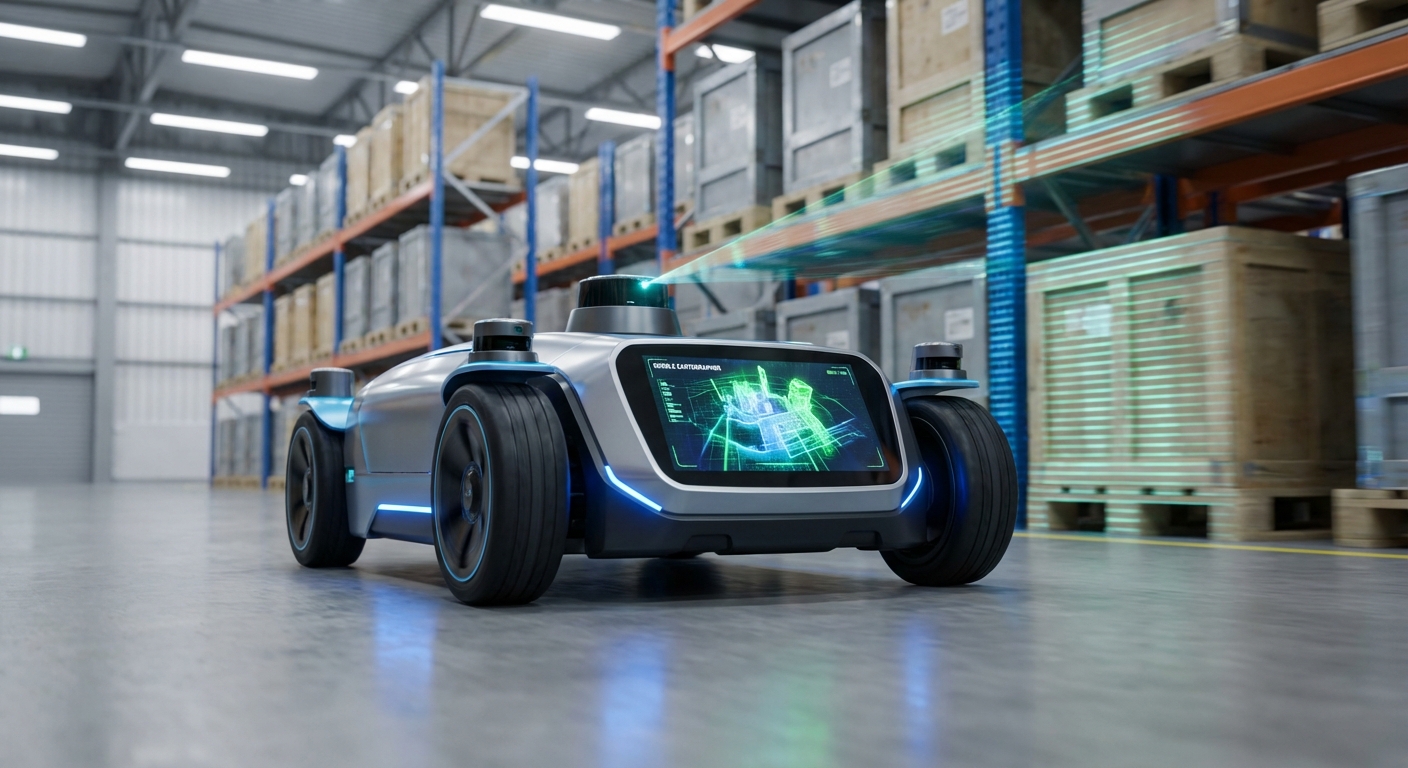
An open-source, real-time SLAM library that lets mobile robots whip up high-quality 2D and 3D maps. Cartographer nails mapping dynamic spaces while precisely tracking the robot's position.
Core Concepts
Real-Time SLAM
Simultaneous Localization and Mapping lets AGVs chart unknown areas and follow their path without GPS.
Loop Closure
It detects loop-backs to a prior spot and fixes map drift for true global accuracy.
Submaps
Maps come together from bite-sized local submaps, letting it tweak fresh data fast without redoing everything.
Multi-Sensor Fusion
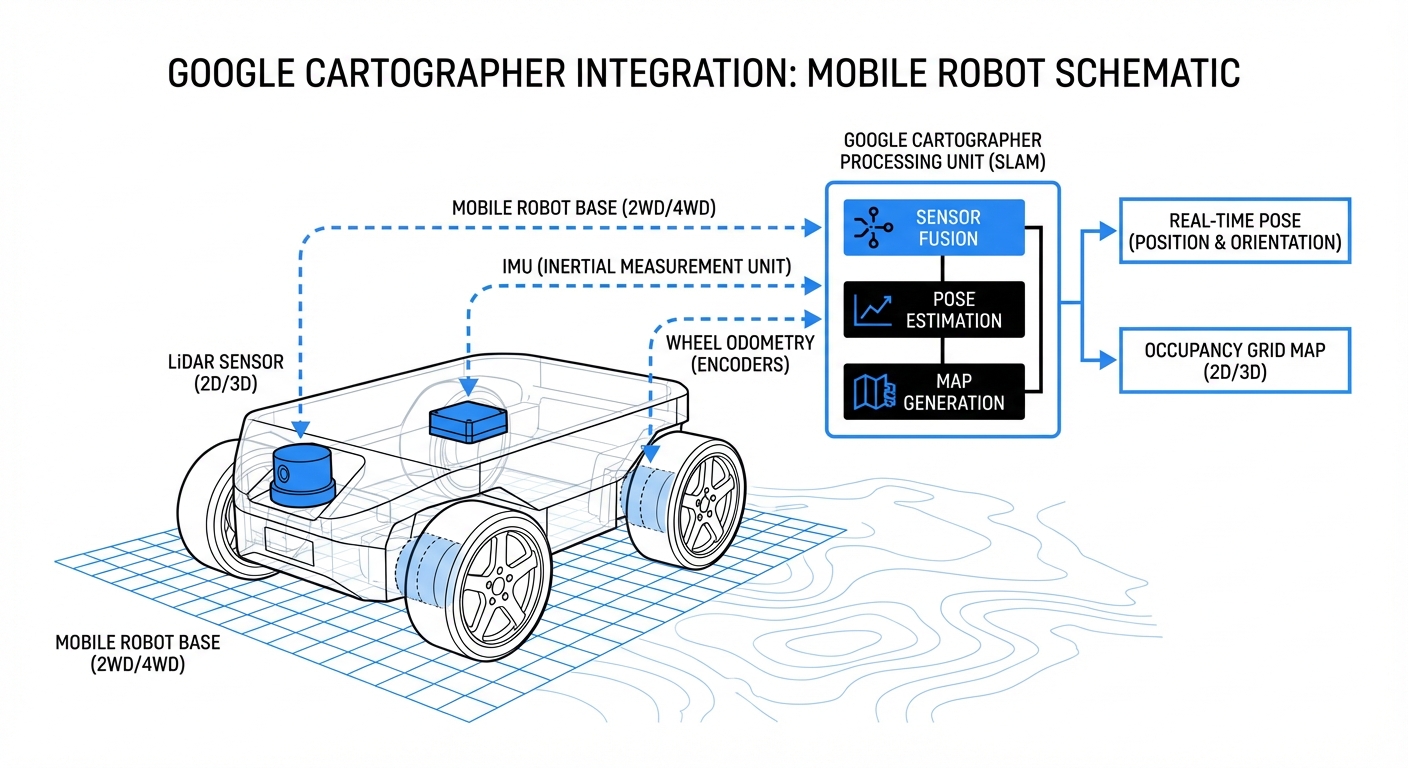
It blends LiDAR, IMUs, and wheel odometry smoothly for rock-solid tracking.
Pose Graph Optimization
Leverages Ceres Solver to fine-tune the pose graph, slashing errors across the full path for pinpoint floor plans.
Distributed Architecture
Built to hum on slim onboard compute, pushing heavy viz and map storage off to remote stations.
How It Works
Google Cartographer gobbles raw sensor feeds, mainly from LiDAR and IMUs. As the robot rolls, it crafts submaps—compact, consistent snapshots of the nearby world.
The real wizardry? Background global SLAM constantly matches new scans to old submaps. Nail a loop closure, and it repositions all submaps to erase drift.
You end up with a tough, globally consistent map (usually an occupancy grid) ready for path planning and nav—even amid dynamic clutter like pedestrians or forklifts.
Real-World Applications
Warehouse Automation
AGVs and AMRs use it to roam huge fulfillment centers, ditching magnetic tape or QR codes.
Industrial Cleaning
It drives commercial floor scrubbers to map lobbies and halls, guaranteeing full coverage on every cleaning run.
Hospital Logistics
Delivery robots haul linens, meds, and lab gear safely through twisty, multi-floor hospitals.
Digital Twin Creation
Backpack or robot-mounted mappers run Cartographer for dead-accurate as-built layouts of job sites and factories.
Frequently Asked Questions
What hardware does Google Cartographer require?
Minimum: a LiDAR (2D or 3D). IMU strongly advised for 2D (rotation/accel data) and required for 3D (gravity direction).
Does Cartographer support ROS (Robot Operating System)?
Yep, Cartographer plays nice with ROS1 and ROS2 via the cartographer_ros package. It subs to LaserScan, PointCloud2, Imu, Odometry topics and pubs maps plus tf pose.
How does Cartographer handle "Loop Closure"?
It employs branch-and-bound scan matching. On revisit, it pits the new scan against nearby submaps. High-confidence match? Optimizes the pose graph to yank the path tight, banishing drift.
What is the difference between Local SLAM and Global SLAM?
Local SLAM creates submaps by slotting scans into a compact occupancy grid and optimizing them for instant consistency. Meanwhile, Global SLAM hums along in the background, reshuffling those submaps to keep the full map perfectly aligned—especially nailing loop closures and fighting long-term drift.
Can Cartographer run on a Raspberry Pi?
It runs fine on a Raspberry Pi 4, but expect some limits with high-res mapping or zippy speeds. For industrial AGVs, grab an Intel NUC, NVIDIA Jetson, or similar rugged PC to power through those optimization threads smoothly.
Is it suitable for outdoor environments?
Yep, it excels with 3D LiDAR. That said, vast open areas lacking features like walls or structures can trip up SLAM. Fuse in GPS or GNSS data to the pose graph for better localization in those spots.
How does it compare to GMapping or Hector SLAM?
Cartographer edges out GMapping and Hector in robustness and accuracy for massive maps, all thanks to its clever loop closure and submap design. The tradeoff? It guzzles more compute and takes some practice to configure right.
How do I configure Cartographer?
You configure it through Lua scripts that dial in submap sizes, grid resolution, optimization weights, sensor feeds, and more. Fine-tuning these is essential for peak performance in your unique setup.
Can I save and reuse the map?
Yes. It dumps the full state into a .pbstream file packed with compressed map data and the pose graph. Convert it easily to .pgm and .yaml files for ROS nav stack tools like AMCL.
What is "Pure Localization" mode?
In pure localization mode, Cartographer skips map-building and laser-focuses on pinpointing the robot's spot in an existing .pbstream map. It sips CPU compared to full mapping.
Does it work with wheel odometry?
Yes—and it's highly recommended. Cartographer can scrape by without it, but wheel odometry gives Local SLAM a quick motion guess, speeding up scan matching and boosting reliability, especially in repeating corridors.
Is Google Cartographer free for commercial use?
Yes, under the Apache 2.0 license. That means commercial use, mods, and sharing are all good—without forcing you to open-source your proprietary code.