GMapping Algorithm
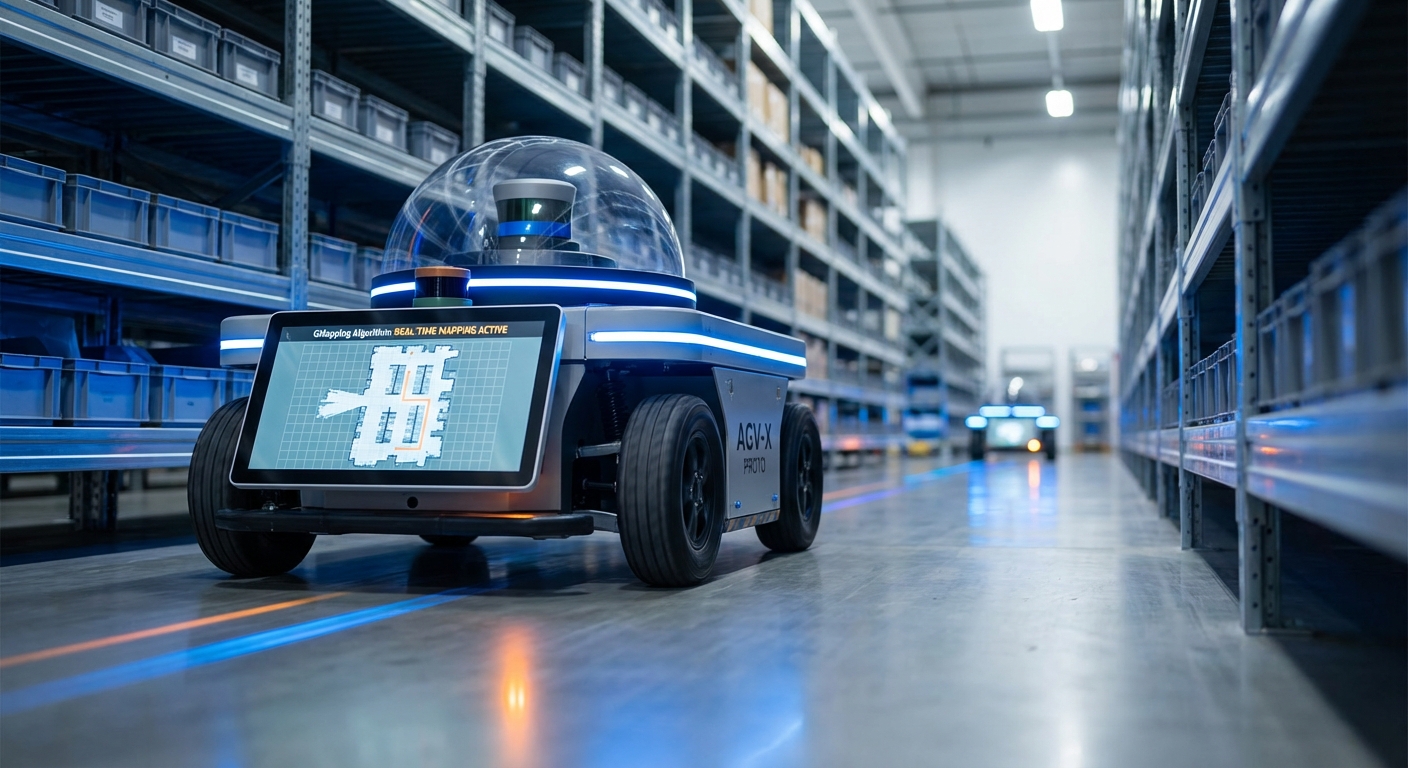
The go-to for laser-based SLAM in autonomous mobile robots. GMapping uses Rao-Blackwellized Particle Filters to build super-accurate 2D occupancy grid maps, letting AGVs tackle tricky indoor spaces with pinpoint precision.
Core Concepts
Particle Filters
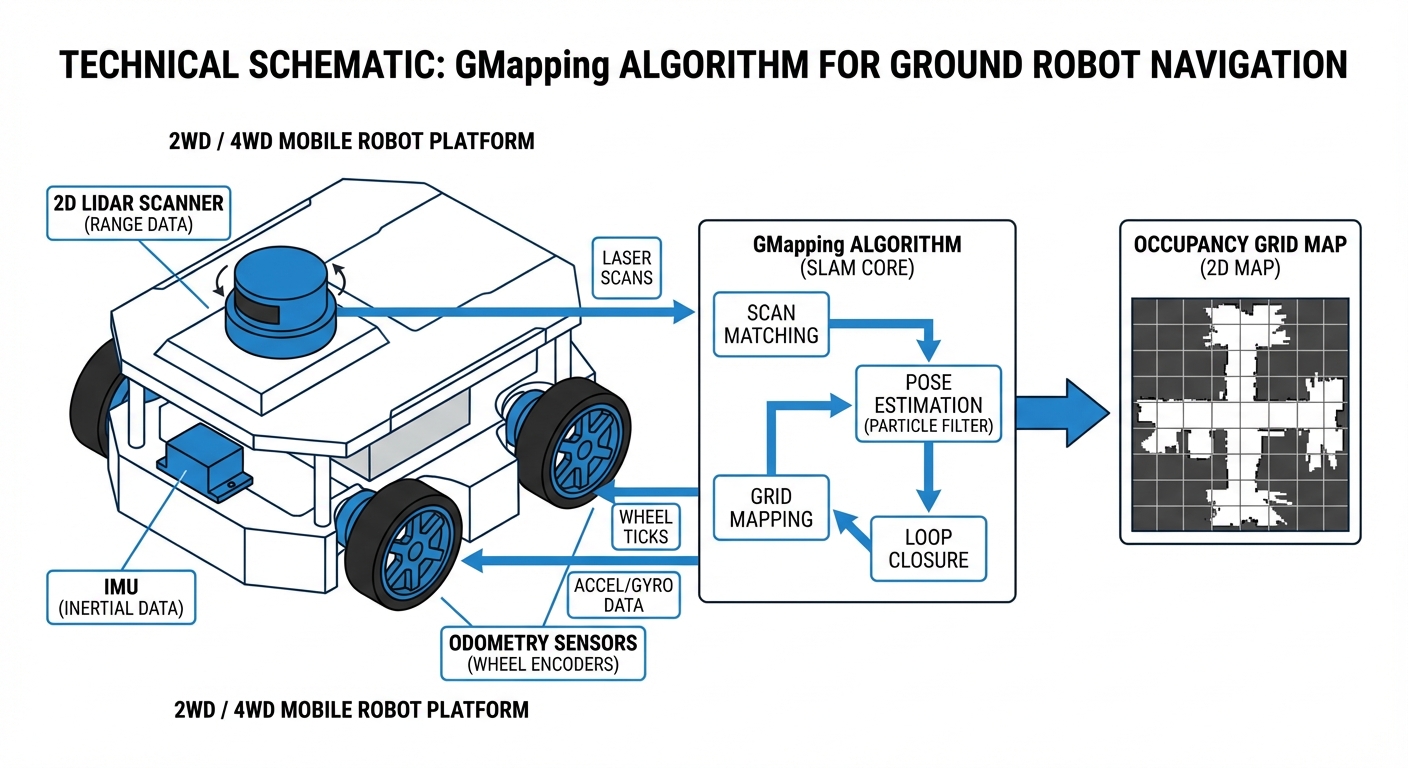
It employs Rao-Blackwellized Particle Filters (RBPF) to nail the robot's path. Every particle is a possible pose with its own mini-map of surroundings.
Occupancy Grids
Output is a 2D grid where cells show odds of occupied, free, or unknown—perfect binary fuel for A* path planning.
Adaptive Resampling
For speed, GMapping only resamples particles when needed, dodging depletion and running fine on everyday hardware.
Scan Matching
Laser scan matching powers the filter's proposals, aligning fresh scans to the growing map and fixing odometry drift big time.
Motion Model
It leans on odometry (wheel encoders or IMU) to guess movement between scans. Spot-on odometry is key for seeding particles right.
Loop Closure
No fancy back-end optimizer like graph-SLAM, but the particle filter handles loop closure naturally by boosting particles in revisited spots.
How It Works
GMapping kicks off with laser scans (LiDAR) and odometry. It starts a swarm of particles, each guessing a robot pose with its own env map. As you roll, particles shift per the motion model.
New scan? Scan matching aligns it to each particle's map. Good fits get weight bumps; bad ones drop. Poor pose guesses fade fast.
Resampling kills weaklings and clones winners. This Darwinian tweak makes the map zero in on reality, fixing slips and noise live.
Real-World Applications
Warehouse Logistics
AGVs use GMapping to map huge warehouses from scratch, then flip to AMCL for localization to shuttle pallets—no infrastructure tweaks needed.
Industrial Cleaning
Autonomous scrubbers map store aisles or factory floors. It shrugs off moving obstacles like shoppers, keeping the core map crisp for planning.
Hospital Delivery
Service robots zip through hospital corridors, mapping with GMapping to deliver medicine and linens. Its pinpoint precision lets them handle tight spaces and doorways with total reliability.
HazMat Inspection
In spots too risky for humans, remote robots build live maps using GMapping, giving operators a crystal-clear, real-time view of the terrain.
Frequently Asked Questions
What hardware is required to run GMapping?
You'll need at least a mobile robot with odometry (like wheel encoders) and a 2D LiDAR scanner. It runs fine on a Raspberry Pi 4 for small areas, but for large, complex industrial spaces, grab an Intel NUC or similar x86 processor to keep things efficient.
How does GMapping compare to Hector SLAM?
Hector SLAM just matches laser scans—no odometry needed—so it's great for drones or handhelds. GMapping needs odometry but holds up better for wheeled robots like AGVs in feature-poor spots (think long corridors), since wheel encoders give a solid baseline when scans go blank.
Can GMapping handle dynamic environments with moving people?
GMapping shines in static environments. Its probabilistic setup handles some moving obstacles, but constant changes can create 'ghosting' on the map. Smart move: map when it's quiet, like at night or during shift changes.
Is GMapping better than Google Cartographer?
GMapping's easy to set up and easy on the CPU for small-to-medium maps—ideal starting point. Google Cartographer's Graph-SLAM crushes loop closure in massive areas like multi-floor buildings, but it demands more tuning and horsepower.
Why is my generated map distorted or "drifted"?
Map drift often comes from sloppy odometry calibration or too few distinct features for the laser. Check for slipping wheel encoders, tune your IMU, and confirm the LiDAR has unique shapes to 'lock onto' during turns.
Does GMapping support 3D LiDARs like Velodyne or Ouster?
Native GMapping is pure 2D SLAM. That said, you can feed it 3D LiDAR by converting point clouds to 2D "LaserScan" messages (try the ROS package), basically flattening the data for processing.
What is the typical output format of the map?
It outputs an Occupancy Grid, typically as a PGM image file with a YAML config. The PGM shows black for obstacles, white for open space, gray for unknown, while the YAML sets resolution (meters per pixel) and origin point.
How important is the particle count parameter?
Super key point: More particles boost accuracy and loop closure, but they ramp up CPU linearly. For indoor AGVs, 30 to 80 particles nail the balance of speed and precision.
Can I use GMapping for outdoor agricultural robots?
Tough one. GMapping leans on structured spots like walls and corners to fix odometry. Wide-open fields lack that, so scan matching fails. GPS fusion or visual SLAM work better outdoors.
Is GMapping integrated with ROS (Robot Operating System)?
Yep, the `slam_gmapping` package is a ROS heavyweight for both ROS 1 and 2. It pulls in `tf` transforms and `scan` topics, then spits out the `map` topic on autopilot.
How do I fix loop closure glitches where corridors won't line up?
Happens a lot in big loops. Quick fixes: 1) Crank up particle count, 2) Sharpen odometry (check tire pressure and encoders), or 3) Ease off on turns so laser matching has time to sync with the geometry.
Is GMapping computationally expensive?
Vs. modern Graph-SLAM, GMapping's kinda hefty—it juggles full maps for each particle. But adaptive resampling (only kicking in on real movement) keeps it snappy for real-time use on everyday embedded gear.