Cartographer
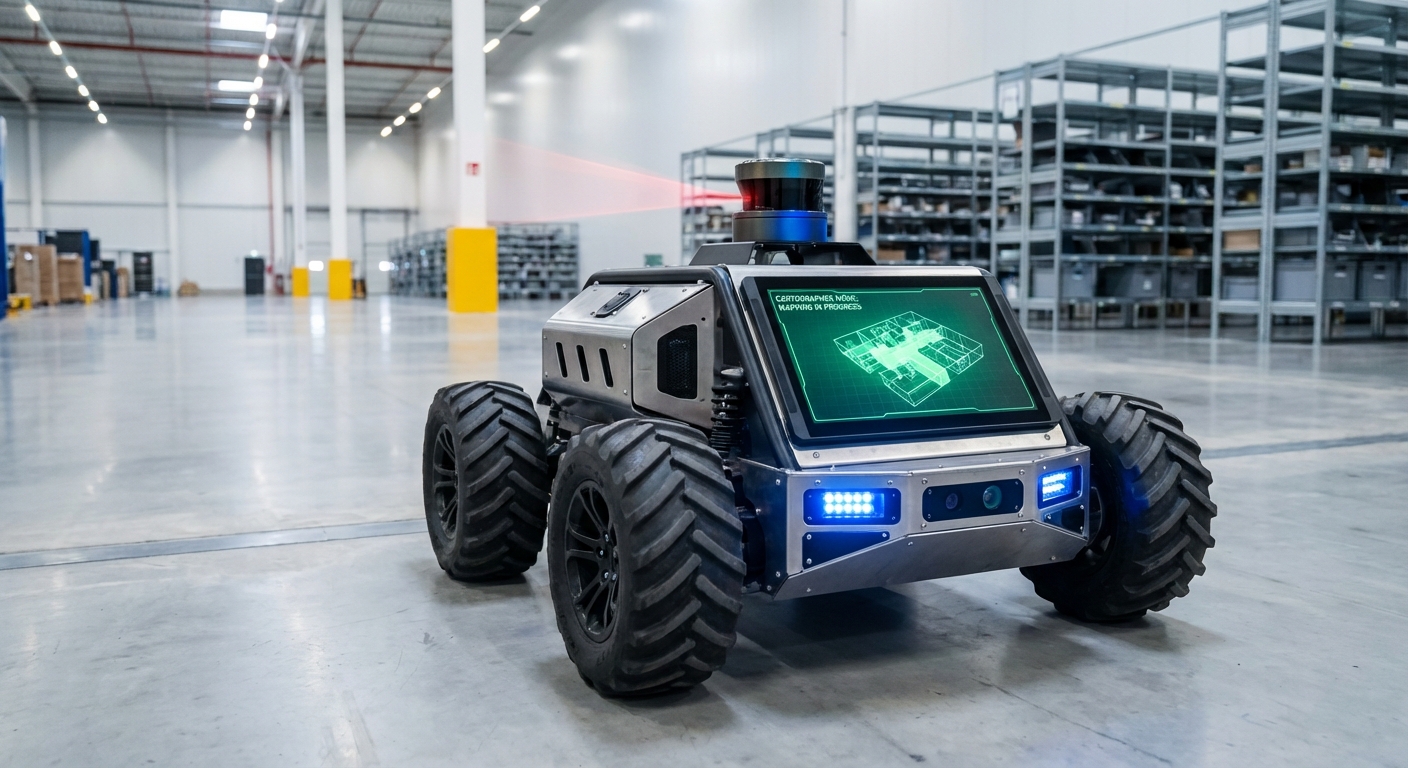
An industry-standard, real-time SLAM (Simultaneous Localization and Mapping) system built to give AGVs and mobile robots pinpoint spatial awareness. Cartographer fuses multi-sensor data for consistent maps and cm-level localization in changing spaces.
Core Concepts
Real-Time SLAM
Simultaneous Localization and Mapping lets the robot map unknown areas while tracking its position—key for true autonomous nav.
Submap Assembly
It breaks the world into bite-sized submaps, optimizing them locally before blending into a global picture.
Loop Closure
Cartographer spots revisited spots to fix drift, snapping the map back perfectly in a flash.
Graph Optimization
It uses sparse pose tweaks to cut errors across the full map path, keeping warehouse geometry spot-on over time.
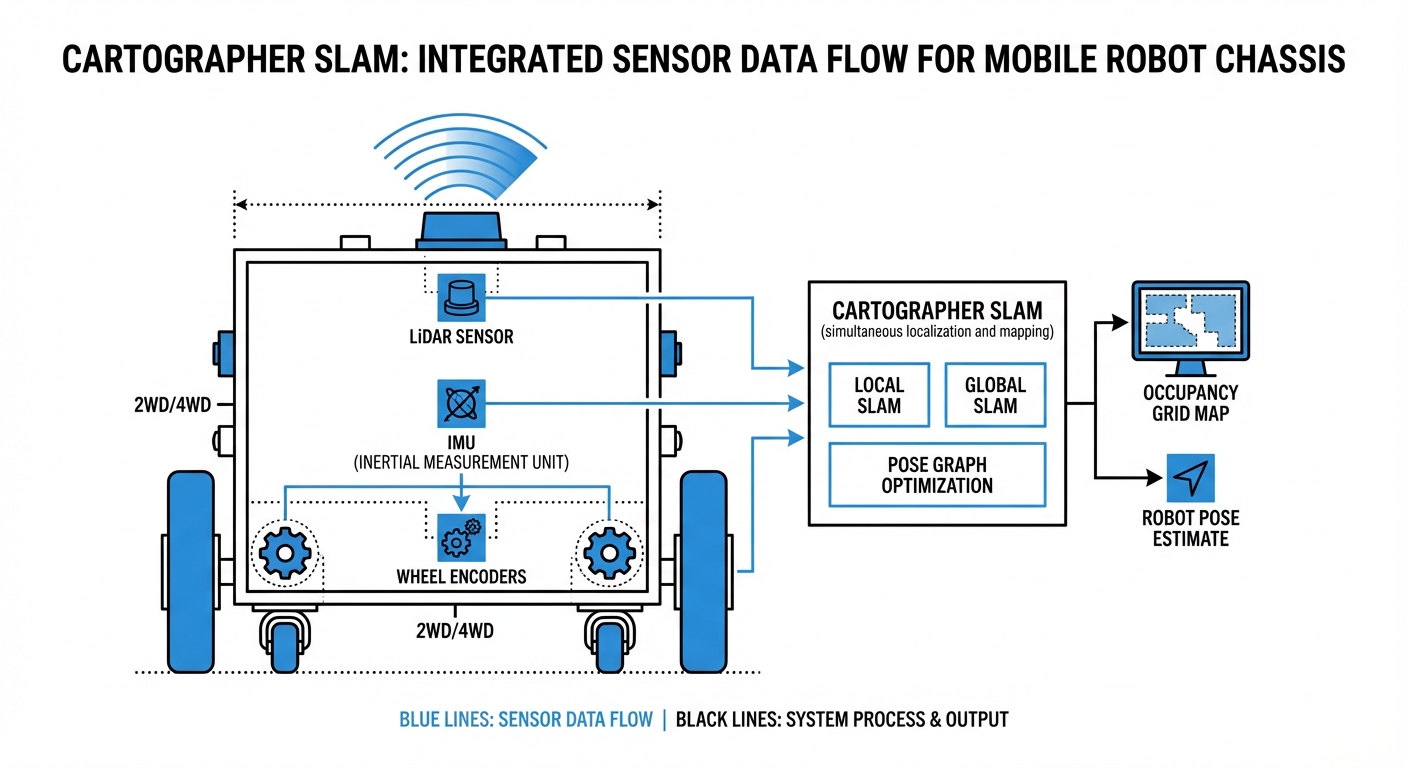
Sensor Fusion
Combines LiDAR, IMUs (Inertial Measurement Units), and wheel odometry for solid localization, even if a sensor falters.
Multi-Dimensional
Flexible design handles 2D flats (like warehouse AGVs) or tricky 3D spots (drones, rough ground).
How It Works: The Scan Matching Process
Cartographer runs a two-stage setup: and . Locally, it matches fresh LiDAR scans to an active submap fast, nailing short-term motion and a sharp local view.
As the AGV rolls, submaps wrap up and join the background. That's Global SLAM's cue—a background thread hunts "loop closures," where new scans match old submaps.
Spot a match? It triggers sparse pose adjustment, spreading error fixes across the path for instant corrections. This lets it handle huge areas beyond normal RAM limits.
Real-World Applications
Intralogistics & Warehousing
Powers autonomous forklifts and pallet movers through tight aisles. It tackles high-shelf "canyon effects" with strong graph optimization to stop rotational drift.
Hospital Delivery Robots
Delivers exact nav in busy corridors. Quick local SLAM updates separate fixed walls from moving people.
Industrial Cleaning Units
Floor scrubbers map vast spots like airports with it. Loop closure gets them back to the charging dock precisely after long runs.
Automated Inspection
Mobile manipulators tap into 3D Cartographer to build dense point clouds of machinery or hazardous spots, spotting anomalies all on their own—no human intervention needed.
Frequently Asked Questions
What distinguishes Cartographer from other SLAM approaches like Gmapping?
Unlike Gmapping's particle filter method, which can guzzle CPU and stumble on big loops, Cartographer uses Graph SLAM. It tackles huge environments by optimizing a graph of constraints (submaps) instead of hauling around a massive particle set, staying consistent even over long runs.
Does Cartographer require an IMU (Inertial Measurement Unit)?
For 3D SLAM, you need an IMU to nail down gravity direction. For 2D SLAM, it's not required, but a solid IMU is highly recommended. It delivers a quick starting pose that shrinks the scan-matching search space, keeping the map from getting "corrupted" during sharp turns.
How does it handle dynamic environments with moving people or forklifts?
Cartographer creates probability grids. Fleeting obstacles like a walking person only pop up in a handful of scans and never build enough weight to etch into the permanent submap. It smartly filters out moving clutter, zeroing in on static features like walls and racks.
What are the computational requirements for running Cartographer?
It's more demanding on the CPU than basic approaches. Grab a modern multi-core processor—like an Intel i5/i7 or a powerhouse ARM such as the NVIDIA Jetson AGX. RAM scales with map size, but Cartographer's submap setup keeps things memory-efficient compared to raw point clouds.
Can Cartographer be used for purely localization without mapping?
Yes. Cartographer has a "pure localization" mode. Just load a pre-built, frozen map (`.pbstream` file), and it matches live LiDAR scans to that static map for positioning—much lighter on CPU than full SLAM.
What happens if the robot experiences wheel slip?
Wheel slip throws off odometry, but Cartographer's scan matching (Local SLAM) usually corrects it by aligning LiDAR data with the map. If slip gets extreme, Loop Closure (Global SLAM) kicks in to snap the robot back once it recognizes familiar surroundings.
How is the map configuration tuned?
Cartographer relies on Lua config files. Key tweaks include `TRAJECTORY_BUILDER` settings (voxel filter size, submap size) and `POSE_GRAPH` options (like constraint builder sampling ratio). Dialing these in is crucial for balancing accuracy and CPU load with your robot's sensors.
Is it compatible with ROS and ROS 2?
Yes, Cartographer plays nicely with ROS. Google’s `cartographer_ros` package slurps up standard ROS messages (LaserScan, PointCloud2, Odometry, Imu) and pumps out maps plus TF transforms.
What is a `.pbstream` file?
This is Cartographer's serialization format for saving the full SLAM state: pose graph, submaps, and sensor data. It lets you pause and resume mapping or export to formats like PGM occupancy grids.
Can it map multi-floor environments?
Standard 2D mode assumes a flat floor. For multi-floor setups, switch to 3D Cartographer or use separate maps per level, flipping the active one when the robot hits the elevator.
How does it handle long corridors with no features?
Classic SLAM challenge: perfectly smooth corridors where LiDAR can't sense forward motion (longitudinal slip). Cartographer leans on reliable odometry and IMU to hold steady until distinct features come into view.
What is the typical output latency?
Local SLAM spits out pose estimates at your fastest sensor's rate (IMU or LiDAR, often 20-100Hz), ideal for real-time control. Global map tweaks run quietly in the background every few seconds to refine the big picture.